SingleTone › Y2K digicam filter
Y2K digicam filter: the 2000s compact camera look
Y2K Digicam recreates a pocket digital camera from around 2003: a direct flash, a small sensor that loses fine detail and is then sharpened hard, a narrow range where whites clip early, cool and punchy colour, blotchy noise in the dark and the orange date in the corner.
Try Y2K DigicamFree · no sign-up · nothing uploaded
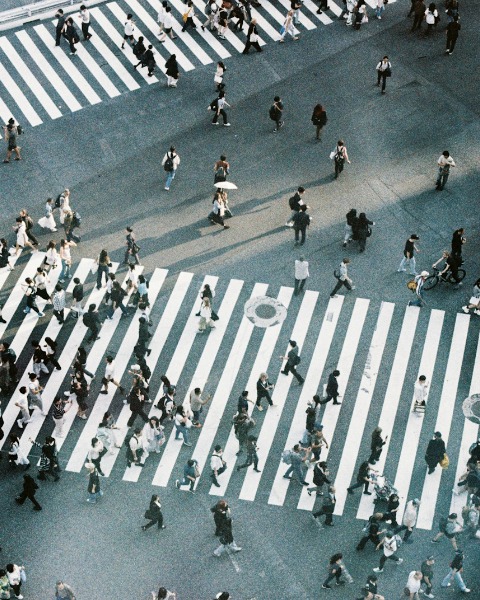 As shot
 Y2K Digicam
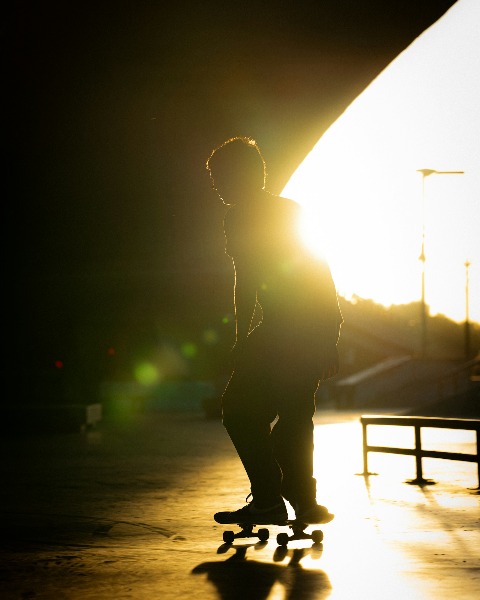 As shot
 Y2K Digicam
How to get the digicam look
- Open SingleTone and drop up to 10 photos or videos.
- Choose Y2K Digicam under Looks. The whole set gets it, matched to one tone.
- Keep the date stamp or turn it off in Customise, set the strength, and export at full resolution.
What makes it look Y2K
Direct flash
A small flash right next to the lens: bright, flat light on what is near and a dark room behind.
CCD colour
Cool, slightly magenta and punchy, the colour of early digital sensors.
Over-sharpened detail
Fine detail goes soft, then thin bright and dark halos run along every edge, as in-camera sharpening did.
The date stamp
The orange date in the corner, from when the photo was taken. One switch turns it off.
Made for sets
SingleTone edits up to 10 photos together: it fixes the lighting, matches the colours and gives all of them one look, so a night out or a trip looks like it came off one memory card. 18 looks in all, from natural to film.
Questions
Where does the date stamp come from?
From the photo’s own date: when it was taken, or the file’s date. You can turn it off in Customise.
Is the Y2K filter free?
Yes. It is free, with no sign-up and no watermark on what you export.
Does it work with iPhone photos?
Yes. HEIC photos open directly in the browser, no conversion first, and their Display P3 colour is kept.
Are my photos uploaded?
No. Everything happens in your browser, on your device: the photos are edited and exported where they are, and SingleTone never receives them.
Free · no sign-up · nothing uploaded
Try Y2K Digicam